【Rails】rubyで初めてwebサイト作ったのでざっくり手順をまとめておく
はじめに
railsを使った簡単なWebサイト作ってみたので作業手順を簡単にまとめておく
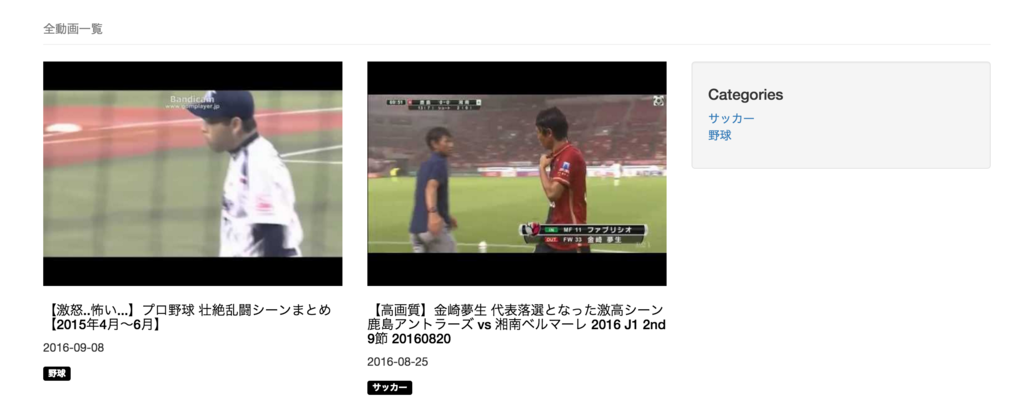
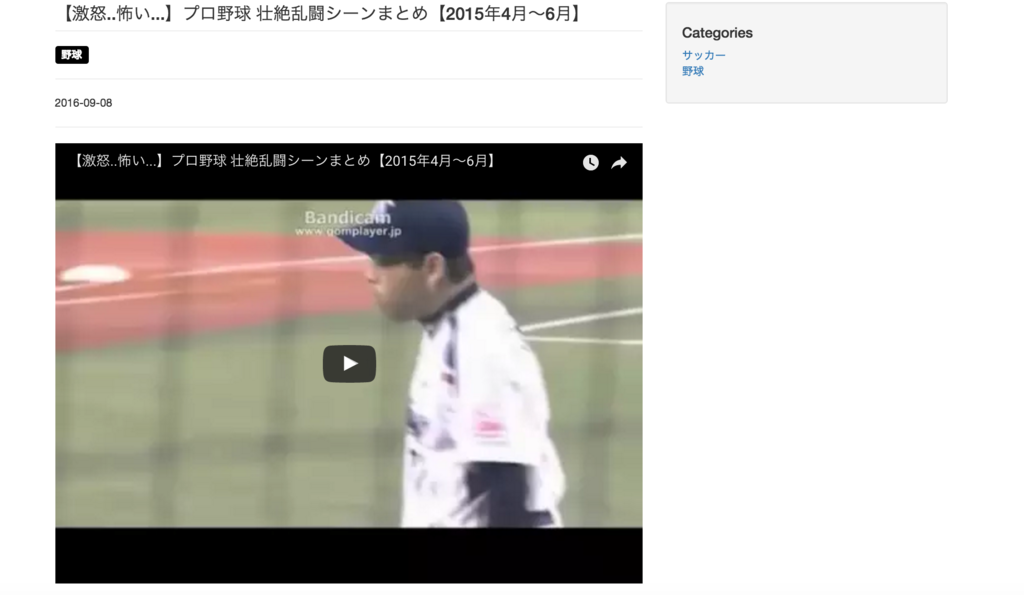
作るものは簡単な動画(Youtubeの)まとめサイト
動画一覧ページと動画視聴ページの2画面のみ
一覧画面
詳細画面
テーブル設計
以下の2テーブル
・categories(動画のカテゴリー)
| id | カテゴリーID | PK |
|---|---|---|
| name | カテゴリー名 | |
| created | 登録日時 | |
| mofified | 更新日時 |
・videos(動画)
| id | 動画ID | PK |
|---|---|---|
| category_id | カテゴリーID | FK(categories.id) |
| title | タイトル | |
| youtube_id | YoutubeのID | |
| created | 登録日時 | |
| mofified | 更新日時 |
環境構築
【Rails】centos・apache・mysql環境にRuby on Railsの環境構築する方法メモ - とりあえずphpとか
詳細をこちらにまとめた
テーブルとModelの作成
テーブルはDBを直接いじるのでなくrailsのmigrateという機能を使う
ひな形作成
$ rails g model video
$ rails g model category

# 以下のファイルが作成される
# db/migrate/xxxxx_create_videos.rb と xxxxx_create_categories.rb
# app/models/video.rb と category.rb
テーブルのカラム設定を行う
db/migrate/xxxxx_create_videos.rb
class CreateVideo < ActiveRecord::Migration[5.0]
  def change
    create_table :videoss do |t|

      ## 追加
      t.integer :category_id
      t.string :title
      t.string :youtube_id

      t.timestamps
    end
  end
end

db/migrate/xxxxx_create_categories.rb
>||
class CreateCategories < ActiveRecord::Migration[5.0]
  def change
    create_table :categories do |t|

      ## 追加
      t.string :name

      t.timestamps
    end
  end
endマイグレーション実行
$ rake db:migrate
ここまででMySQL上にテーブルが作成される
次にModelへリレーション(videos.category_idとcategories.id)の設定を行う
app/models/video.rb
class Video < ApplicationRecord
  ## 追加
  ## ※booksがcategoryに属する(belongs)と考えるとわかりやすい
  belongs_to :category
end
app/models/category.rb
class Category < ApplicationRecord
  ## 追加
  ## ※categoryに属するbooksが複数レコード持つ(has_many)と考えるとわかりやすい
  has_many :video
end
Bootstrapを使えるように
今回は手動でいれる
bootstrapのダウンロード(versionは適当)
$ wget https://github.com/twbs/bootstrap/releases/download/v3.3.7/bootstrap-3.3.7-dist.zip
$ tar xvfz bootstrap-3.3.7-dist.zip
必要なファイルをrailsにコピー
$ cp bootstrap-3.3.7-dist/css/bootstrap.css /path/to/rails/app/vendor/assets/stylesheets/
$ cp bootstrap-3.3.7-dist/js/bootstrap.js /path/to/rails/app/vendor/assets/javascripts/
$ cp bootstrap-3.3.7-dist/font /path/to/rails/app/vendor/assets/
railsがbootstrapを使うように設定
$ vi /path/to/rails/app/assets/stylesheets/application.css
*= require bootstrap # この行を追加

$ vi /path/to/rails/app/assets/javascripts/application.css
//= require bootstrap # この行を追加
ここまででBootstrapが使えるようになった
ControllerとViewのひな形作成
$ rails g controllers books index show
以下が作成される
app/controllers/videos_controller.rb
app/views/videos/index.html.erb と show.html.erb
で、以下へアクセスするとページが表示される
http://example.com/videos/index
http://example.com/videos/show
Controller実装
とりあえずcategoriesとvideosの全レコードを取得するように
class VideosController < ApplicationController

  ## 一覧ページ
  def index

    ## categoriesの全レコードを取得
    @categories = Category.all

    ## videosから動画一覧を取得
    ## sql> select ・・・ from videos left join categories where videos.category_id = catgories.id
    @videos = Video.includes(:category)
                 .references(:category)
  end

  ## 視聴ページ
  def show

    ## categoriesの全レコードを取得
    @categories = Category.all

    ## videosから指定されたidのレコードを取得
    @video = Video.includes(:category)
            .references(:category)
            .find_by_id(params[:id]) or raise ActiveRecord::RecordNotFound
  end

end
ポイントは以下
・変数名に@マークをつけるとViewで参照できるようになる
・urlパラメータはparams[:変数名]で取得できる
次に動画一覧でカテゴリーでも絞り込みができるように修正する
(urlパラメータに?category=***などついていたら絞り込むイメージ)
app/models/video.php 修正
class Video < ApplicationRecord

  ・・・

  ## 追加
  scope :category, ->(category) {
    where("categories.id = ?", category) if category
  }
end
app/controllers/videos_controller.rb 修正
class BooksController < ApplicationController

  def index

    ・・・

    @videos = Video.includes(:category)
                 .references(:category)
                 .category(params[:category]) ## 追加
  end

end
Viewの実装
app/views/index.html.erb
  ・・・

      <% @videos.each_with_index do |video, i| %>
      <div class="row">
        <div class="col-md-6 portfolio-item">
          <%= link_to image_tag("http://i.ytimg.com/vi/" + video[:youtube_id] + "/hqdefault.jpg" , { :class => "img-responsive"}), { :controller => "video", :action => "show", id: video[:id] } %>
          <h3 class="video-title">
            <%= link_to video[:title] , { :controller => "video", :action => "show", id: video[:id] } %>
          </h3>
          <p>
            <%= link_to({:controller => "video", :action => "index", category:video.category[:id]}) do %>
            <span class="label label-info"><%= video.category[:name] %></span>
            <% end %>
          </p>
        </div>
      </div>
      <% end  %>
      <!-- /.row -->
  ・・・

      <%= render :partial => "sidebar", locals: { categories: @categories } %>
ポイントは以下
・link_toでリンク生成
・image_tagでimgタグ生成
・<%= render :partial => "sidebar"〜の部分で別のViewを読み込み
※下で作る_sidebar.html.erbの表示
※_sidebar.html.erbでも@categoriesが使えるように渡している
app/views/videos/show.html.erb
  ・・・

    <iframe width="560" height="315" src="https://www.youtube.com/embed/<%= @video[:youtube_id] %>" frameborder="0" allowfullscreen></iframe>

  ・・・

      <%= render :partial => "sidebar", locals: { categories: @categories } %>
app/views/videos/_sidebar.html.erb
<div class="well">
  <h4>Categories</h4>
  <div class="row">
    <div class="col-lg-12">
      <ul class="list-unstyled">
        <% @categories.each do |category| %>
        <li>
          <%= link_to category.name, { :controller => "video", :action => "index", category:category.id } %>
        </li>
        <% end %>
      </ul>
    </div>
  </div>
</div>
他に実装したもの
> ページング
KamakiriとGemを使った
> ページのタイトル設定
http://ruby-rails.hatenadiary.com/entry/20141219/1418990626
この通りやったらできた
